
Help/Grow
Analytics
Your posts, your comments and your followers, measured. Four tabs beside your feed, free for the last 30 days and private to you.
Everything here is free unless it has a lock.

New to Earlybird?
It's free in Chrome, with no card and no time limit.
Where to find it
Open Earlybird beside LinkedIn and choose Analytics. It has four tabs along the top, Overview, Posts, Comments and Followers. Press Sync whenever you want fresh numbers.
Every tab shows the period you pick against the period before it, so you can tell at a glance whether you're moving.
Comments
Every comment you've left, whose post it was on, the impressions it earned and the new followers that came with it. LinkedIn shows you how your posts did. It doesn't show you how your comments did, which is why Earlybird was built.
This is where you'll see a clever comment that took you two minutes to write outperform a post that took you two hours.
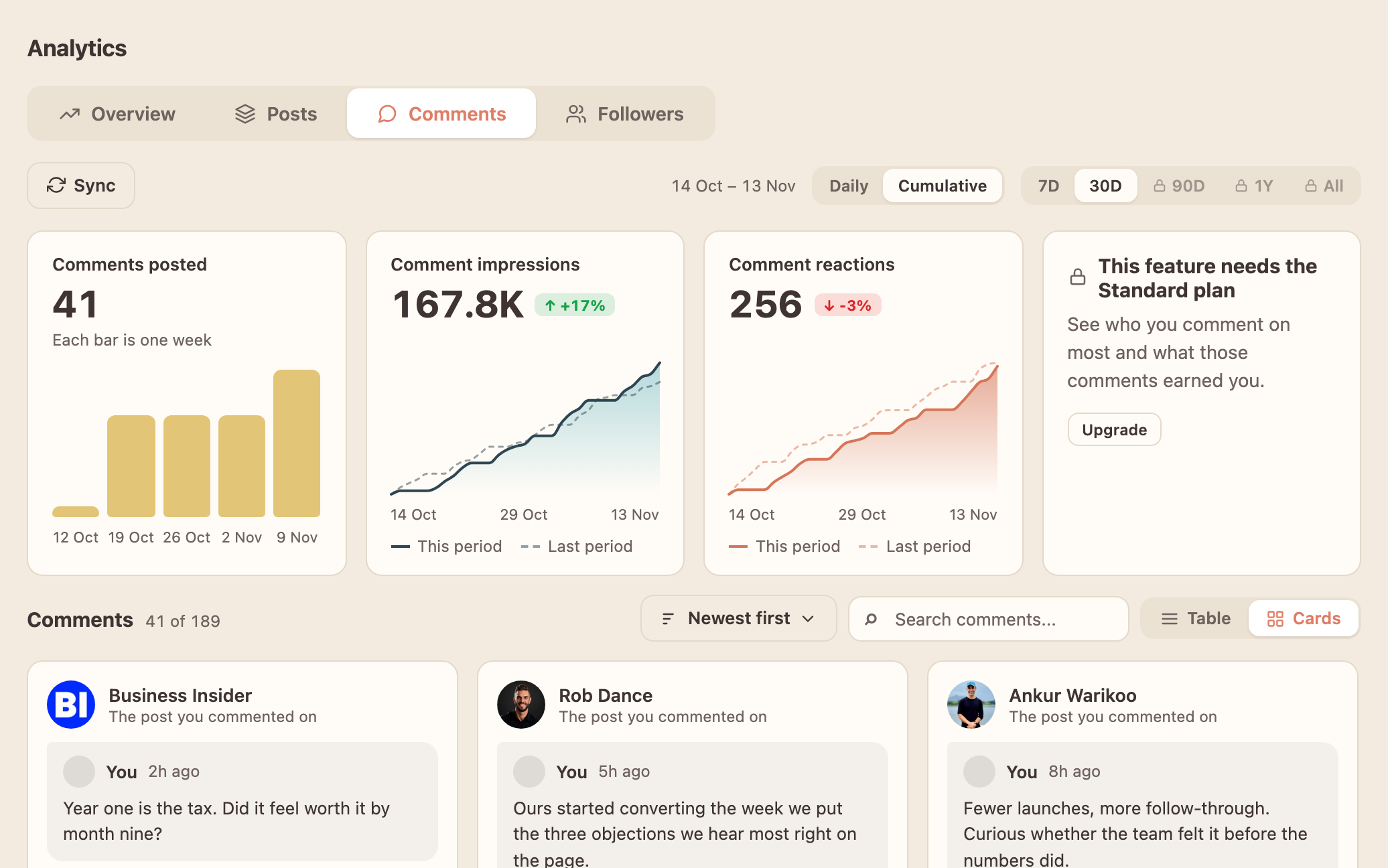
Use it to learn which posts are worth commenting on. When a comment does well, look at where it landed. That's usually the lesson, more than what you wrote. The viral board is there to find more posts like it.
Posts
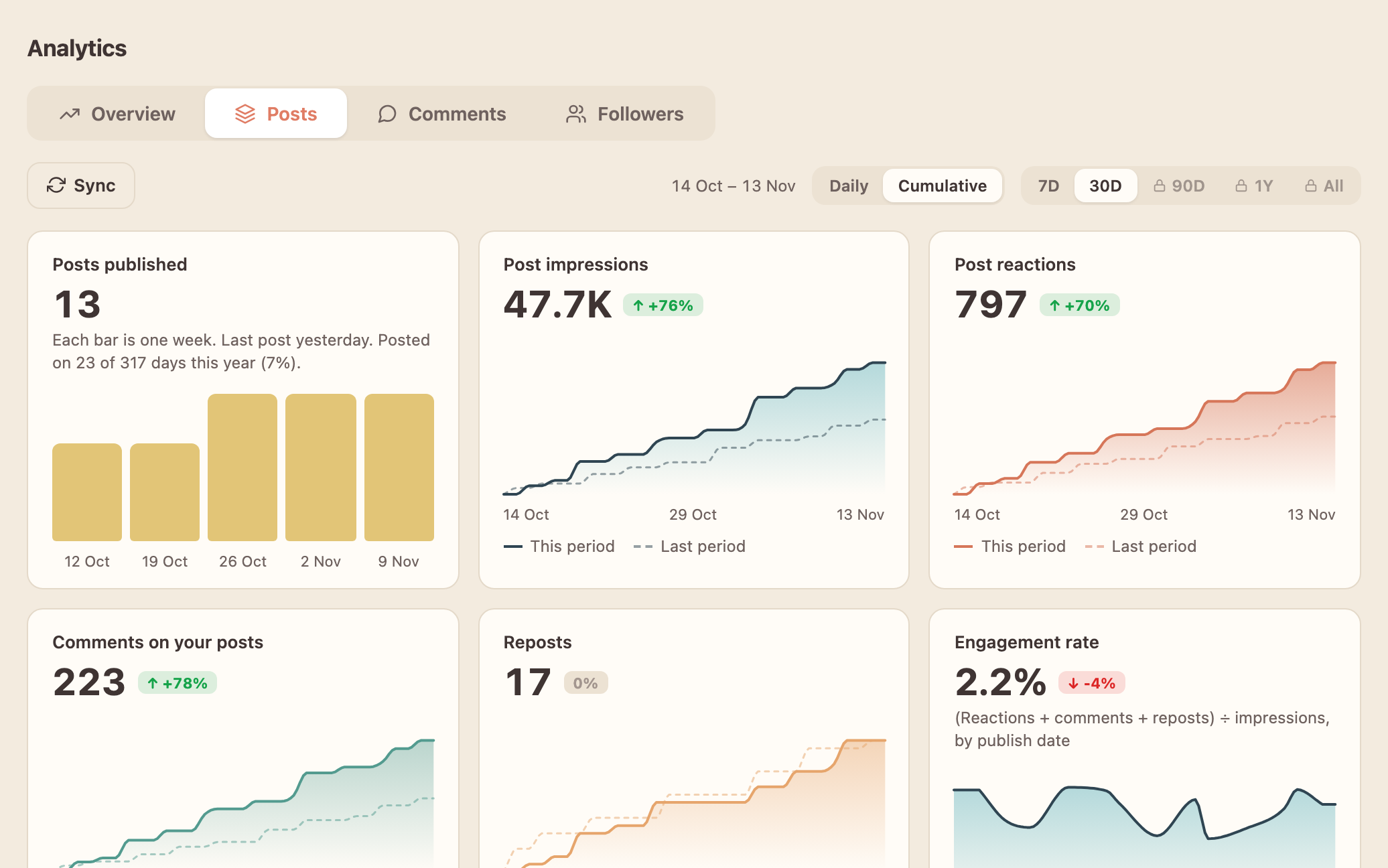
The impressions and engagement on your own posts, how they break down over the period you pick, and your posting rhythm.
- Impressions, reactions, comments and reposts for each post, and for the period as a whole.
- Engagement rate, which is reactions, comments and reposts as a share of impressions. It's the fairest way to compare a small post with a big one.
- Posting rhythm, so you can see how often you've really been posting.
Followers
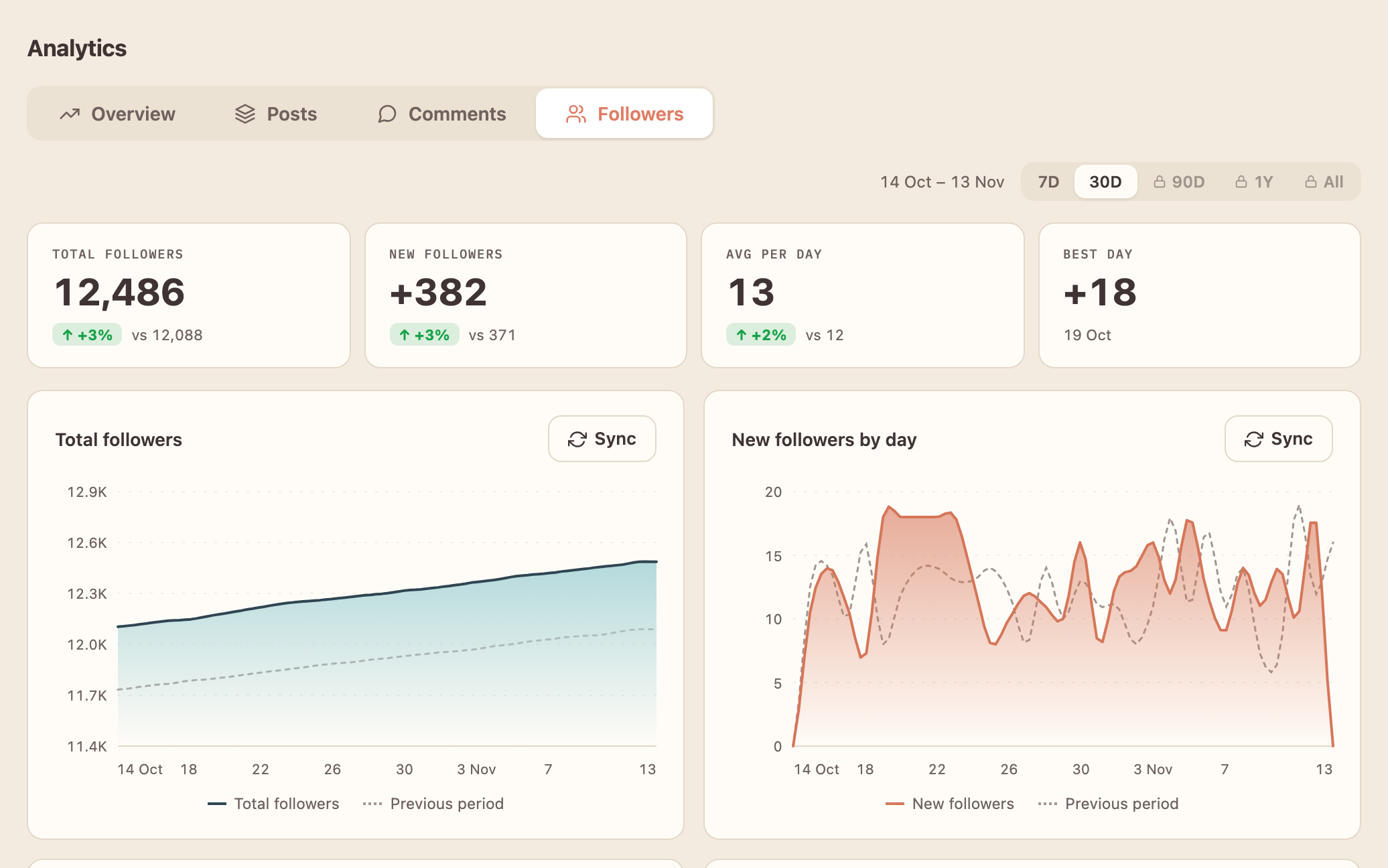
Your follower count over time, the new followers you gain each day, your average and your best day. Below the charts, Earlybird compares the days you posted, the days you only commented and the quiet days, so you can see which kind of day brings followers in.
Overview
The big picture across your posts, comments and followers on one page, with your activity calendar. It's the tab to open once a week to see whether showing up is working. Your weekly goal and streak live in Activity.
Periods and history
Pick a period at the top of any tab. On the free plan you get the last 7 and 30 days. Standard opens 90 days, a year and all time.
This needs the Standard plan
You have another 214 days of history saved beyond the last 30. Upgrade to see all of it.
Nothing on the free plan deletes your older posts, comments or follower readings. They're only hidden, and Earlybird tells you how many days are waiting. Upgrade and they're all there.
Private and backed up
Your analytics are private to you. Nobody else sees them, including other Earlybird users.
Everything is backed up to your Earlybird account once a day. That's why you sign in when you install, so a new computer or a new browser picks up where you left off. Your plan covers you, not one machine, so install Earlybird on every computer you use LinkedIn on.
Not on Earlybird yet?
Everything without a lock is yours the moment you install.